Build a Shopping List from Saved Recipes
Add ingredients from saved recipes to a shopping list, adjust servings, and check off what you already have.
You can add ingredients from saved recipes directly to a shopping list. Use this when you know what you’re cooking and don’t need to put the recipes on your meal plan first.
Create or open a list
Steps
- Open Shopping Lists in the app navigation.
- Open an existing list, or select New List to keep these groceries separate.
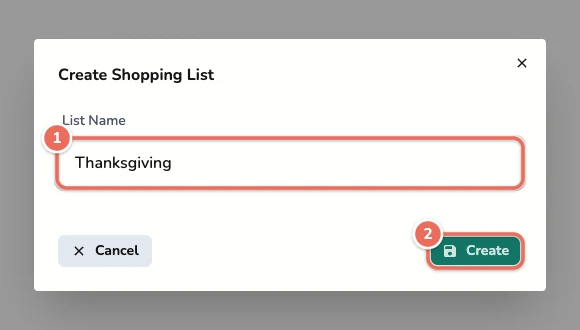
- Enter a List Name, then select Create. The new list opens automatically.
Note: If the navigation says Shopping List and opens your only list, you can use that list. To create a separate one, open your account settings, go to App > Shopping Lists, and turn on Multiple shopping lists.
Add recipes and choose servings
Steps
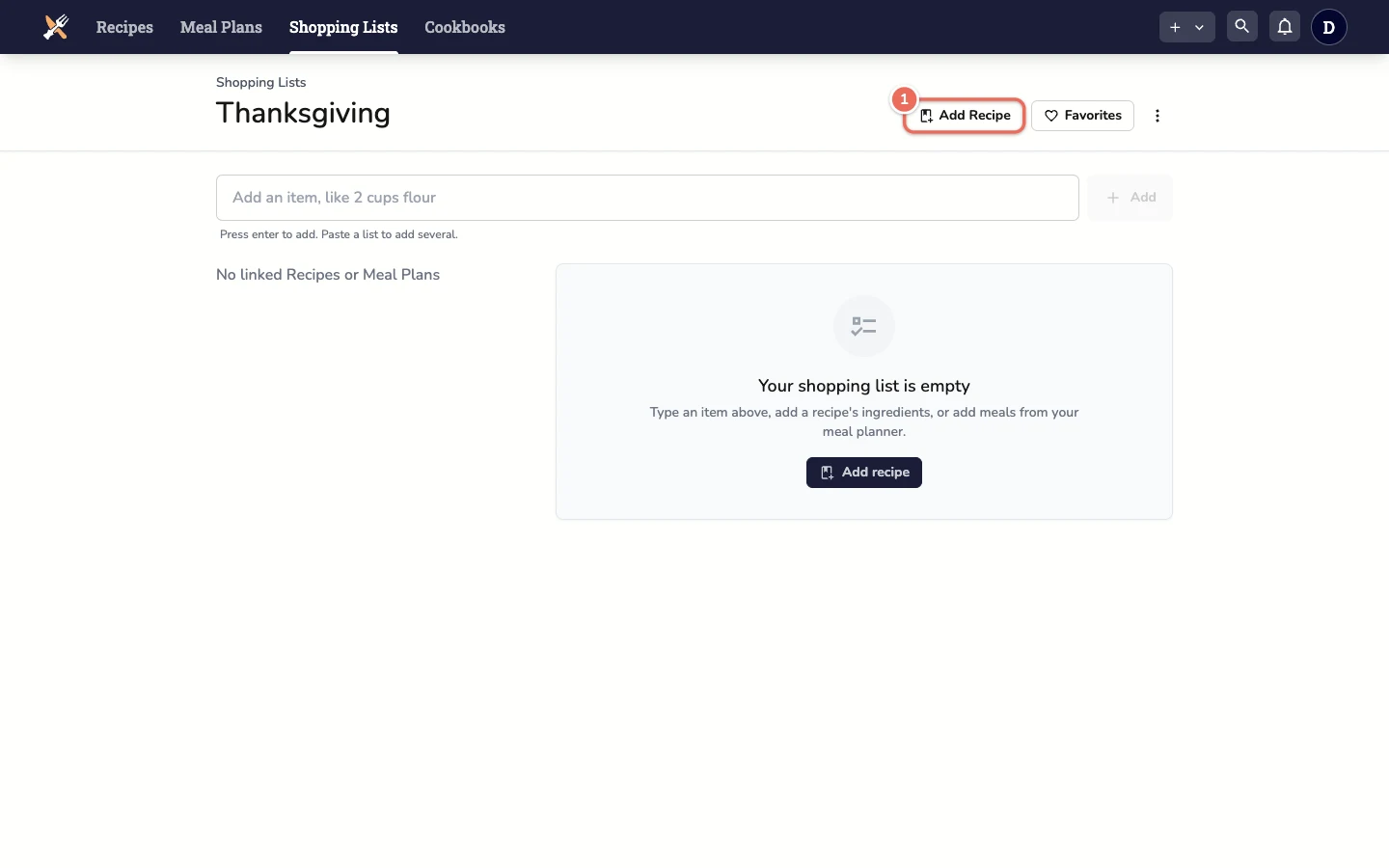
- On the list, select Add Recipe. On a narrow screen, open More actions first.
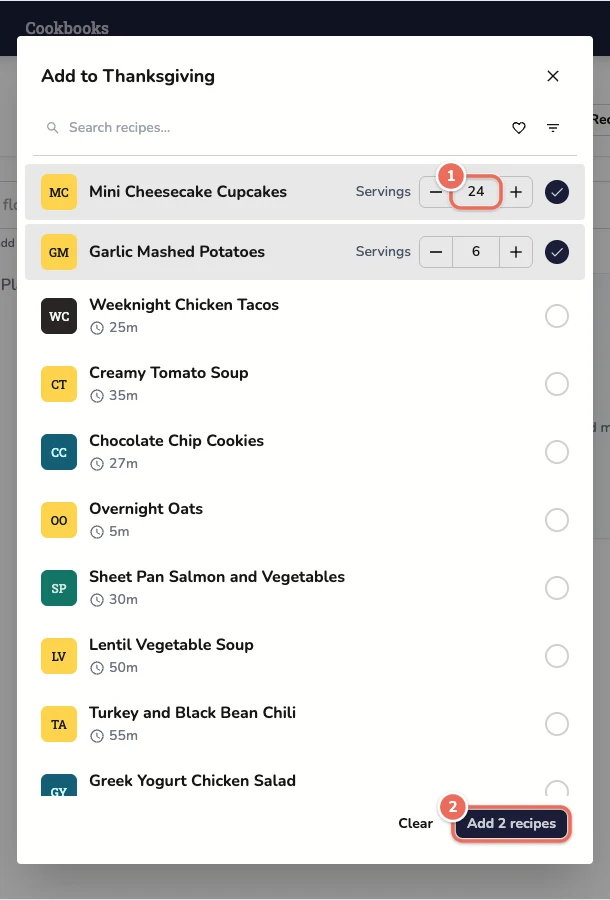
- Search for and select the recipes you want to add.
- If Servings appears next to a selected recipe, enter how many servings you’re making. For example, change 12 to 24 to add ingredients for a double batch.
- Select Add 1 recipe or Add [number] recipes. Recipinned adds the ingredients to the list.
Note: If you don’t see Servings, open your account settings, go to App > Meal Plans, and turn on Plan by servings. If your account already uses Plan per Person, the servings field is available without this setting. Recipes without a serving count are added as written.
Add extras and check what you have
Steps
- Use Add an item for items that aren’t in your recipes. You can enter a
quantity and unit, such as
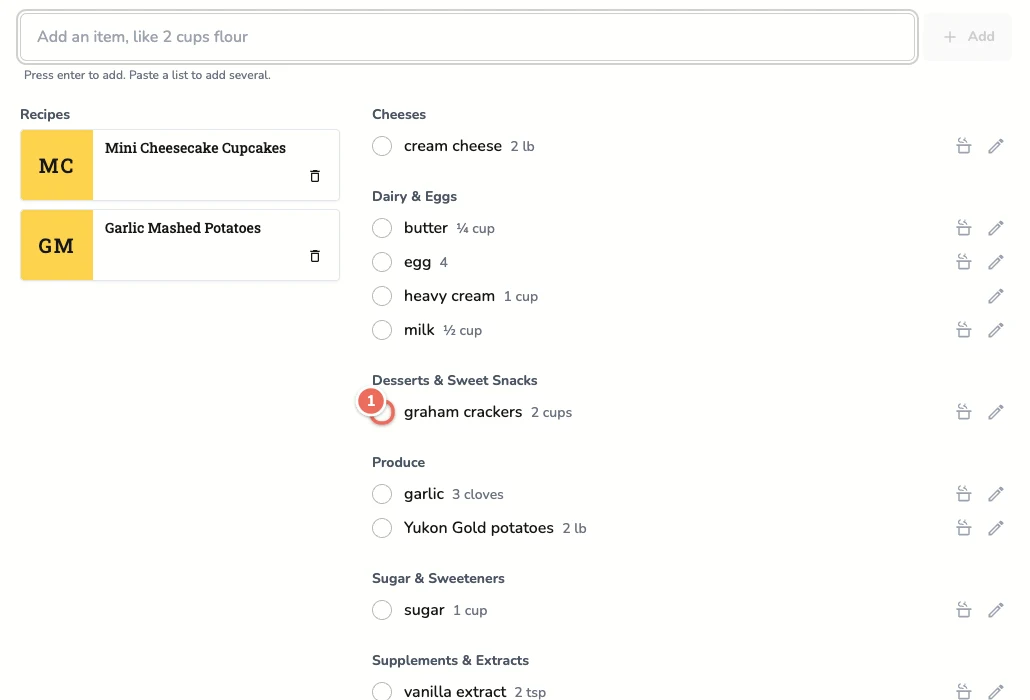
1 cup heavy cream. Press Enter or select the add button. - Go through your kitchen and check off everything you already have enough of. Those items move to Checked. You can reopen that section to uncheck an item if you need it after all.
- Use the unchecked items as your shopping list.