Creating Shopping Lists
Once you’ve built your meal plan and adjusted serving sizes, Recipinned can automatically generate comprehensive shopping lists with accurate quantities based on your planned meals.
Video Tutorial
Prerequisites
Before creating a shopping list, ensure you have:
- Applied meal plan templates to your calendar
- Adjusted serving sizes for your facility’s needs
- Made any necessary substitutions to your menu items
Step-by-Step Process
1. Access Shopping List Sync
- Navigate to your meal plan page
- Click the settings button
- Select “Sync Shopping List” from the dropdown menu
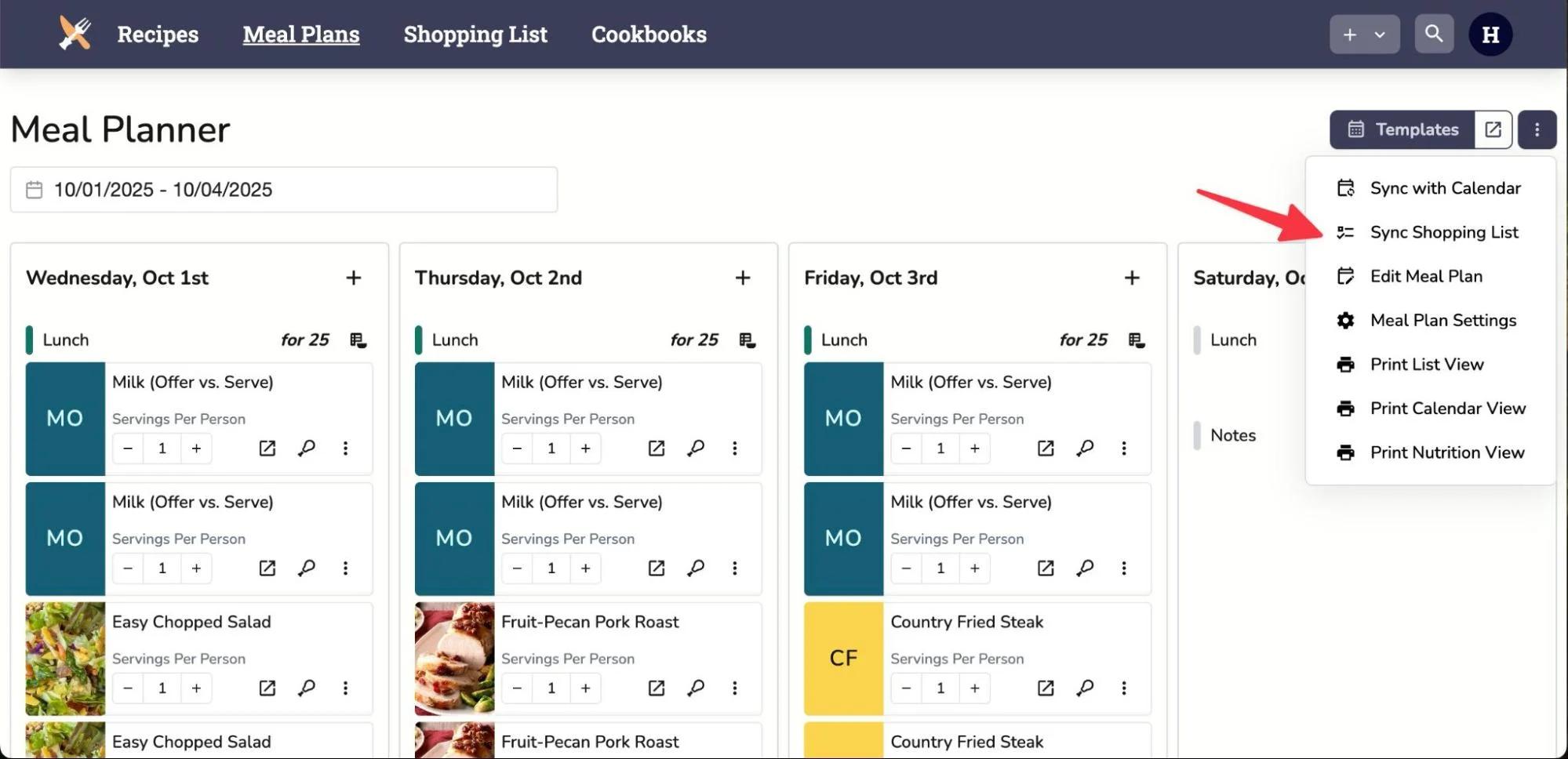
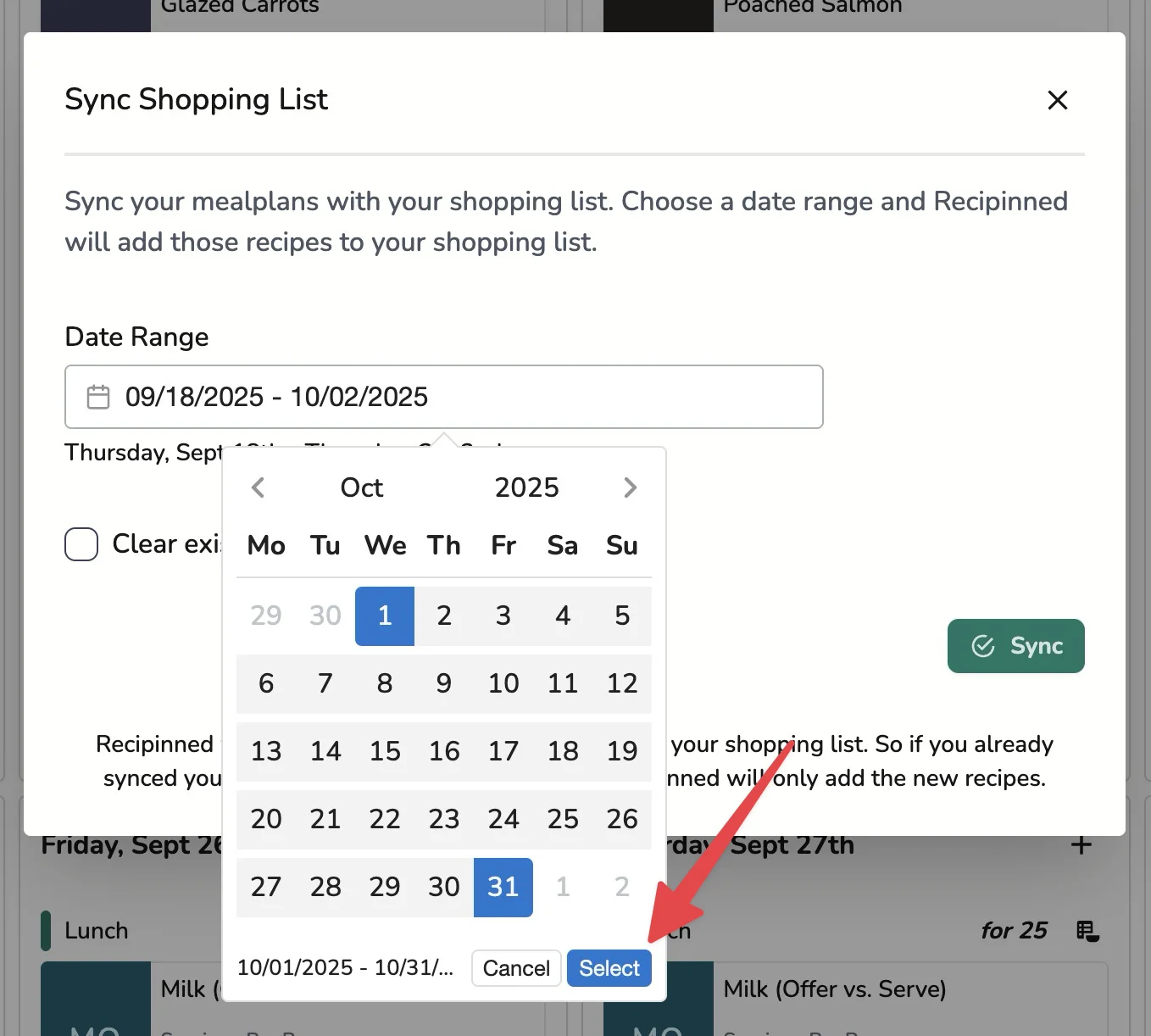
2. Select Date Range
- Click on the date range selector
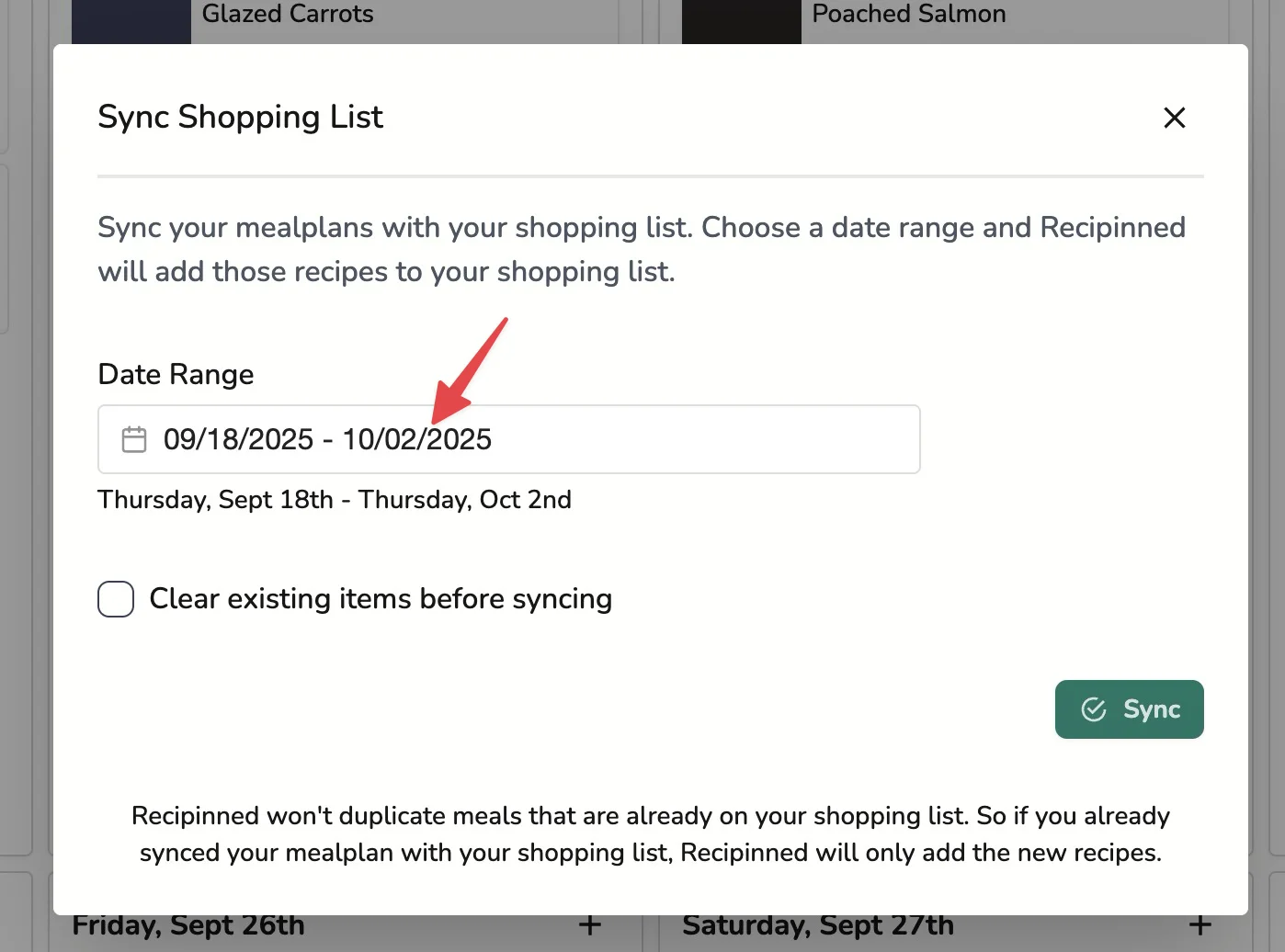
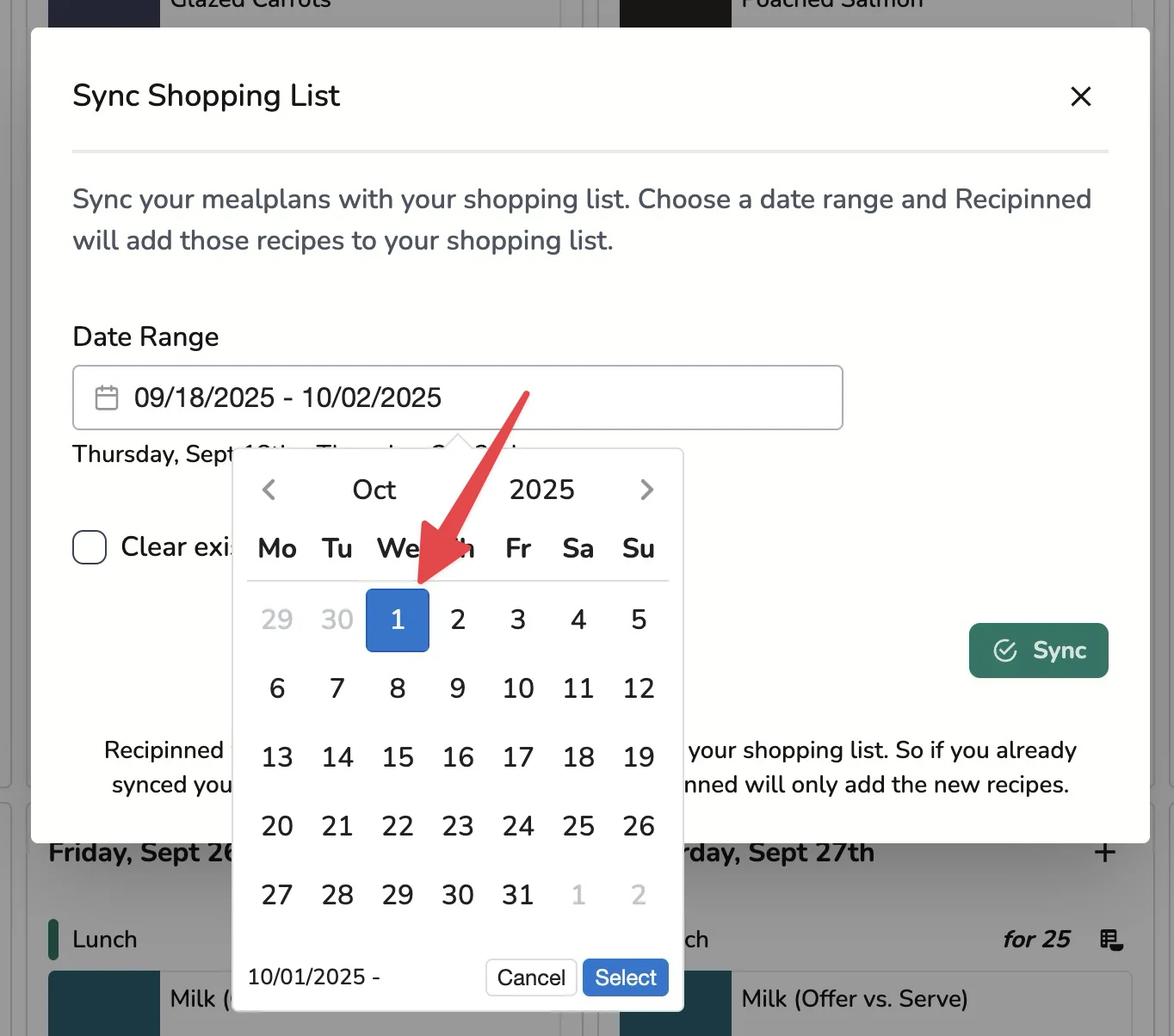
- Select the first date in your range
- Select the last date in your range
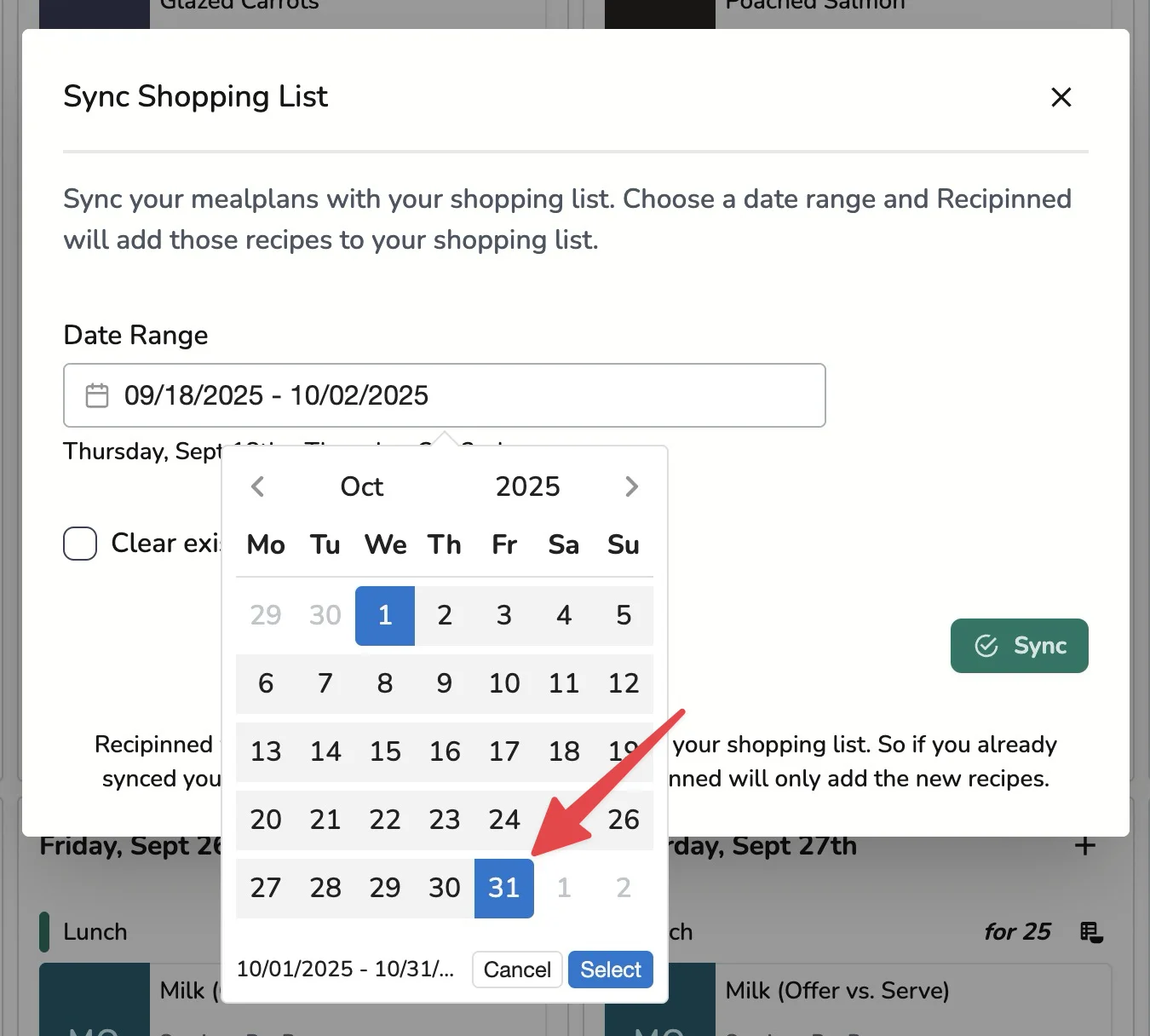
- Click Select to confirm your date range
3. Choose Sync Method
By default, Recipinned will ADD the meals in the selected date range to your existing shopping list. This is useful when building lists incrementally.
If you want to start fresh and only have items for the selected period, check the “Clear existing items before syncing” option.
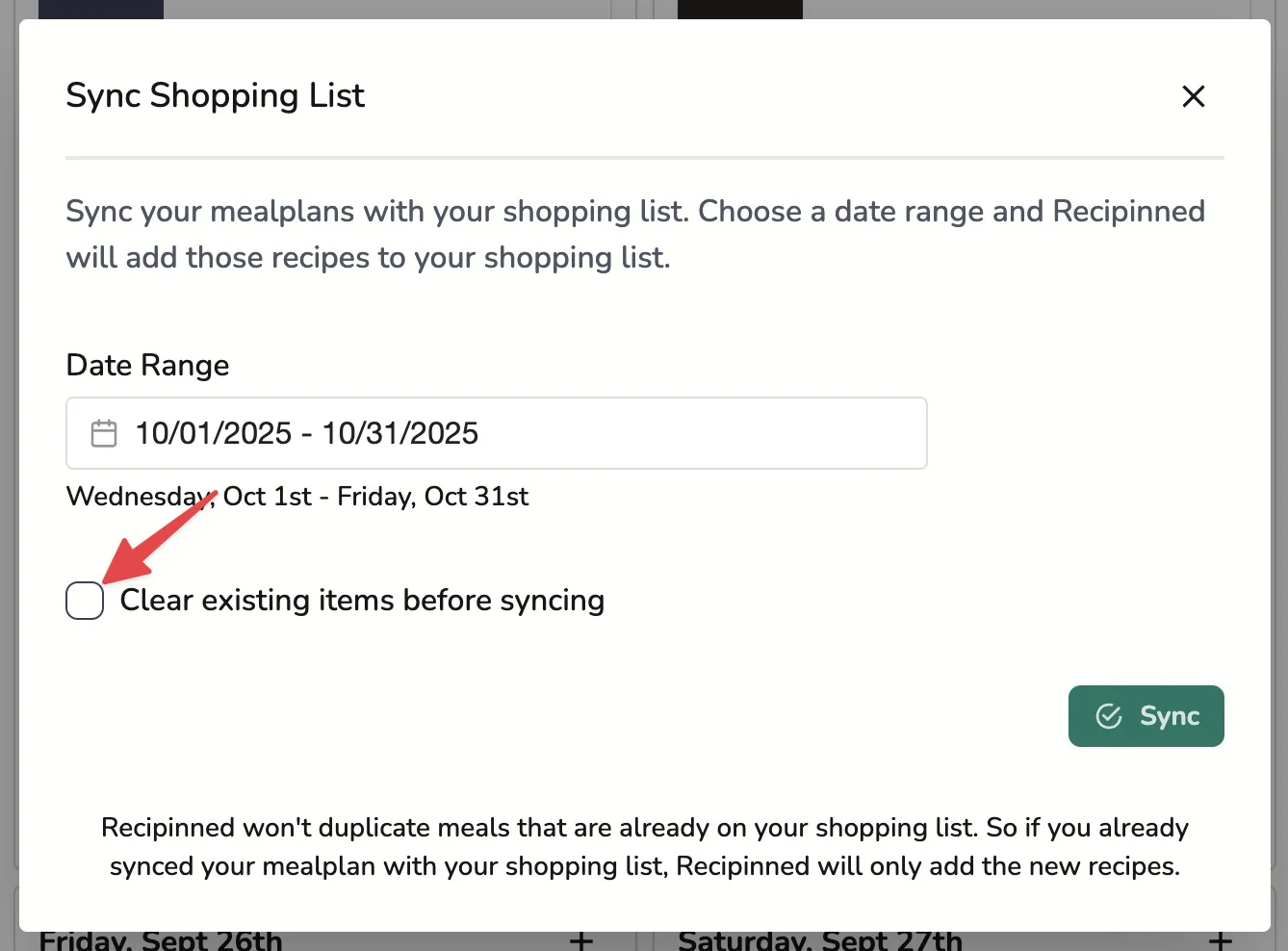
You’ll see your selected dates and a warning message if you chose to clear your shopping list before syncing.
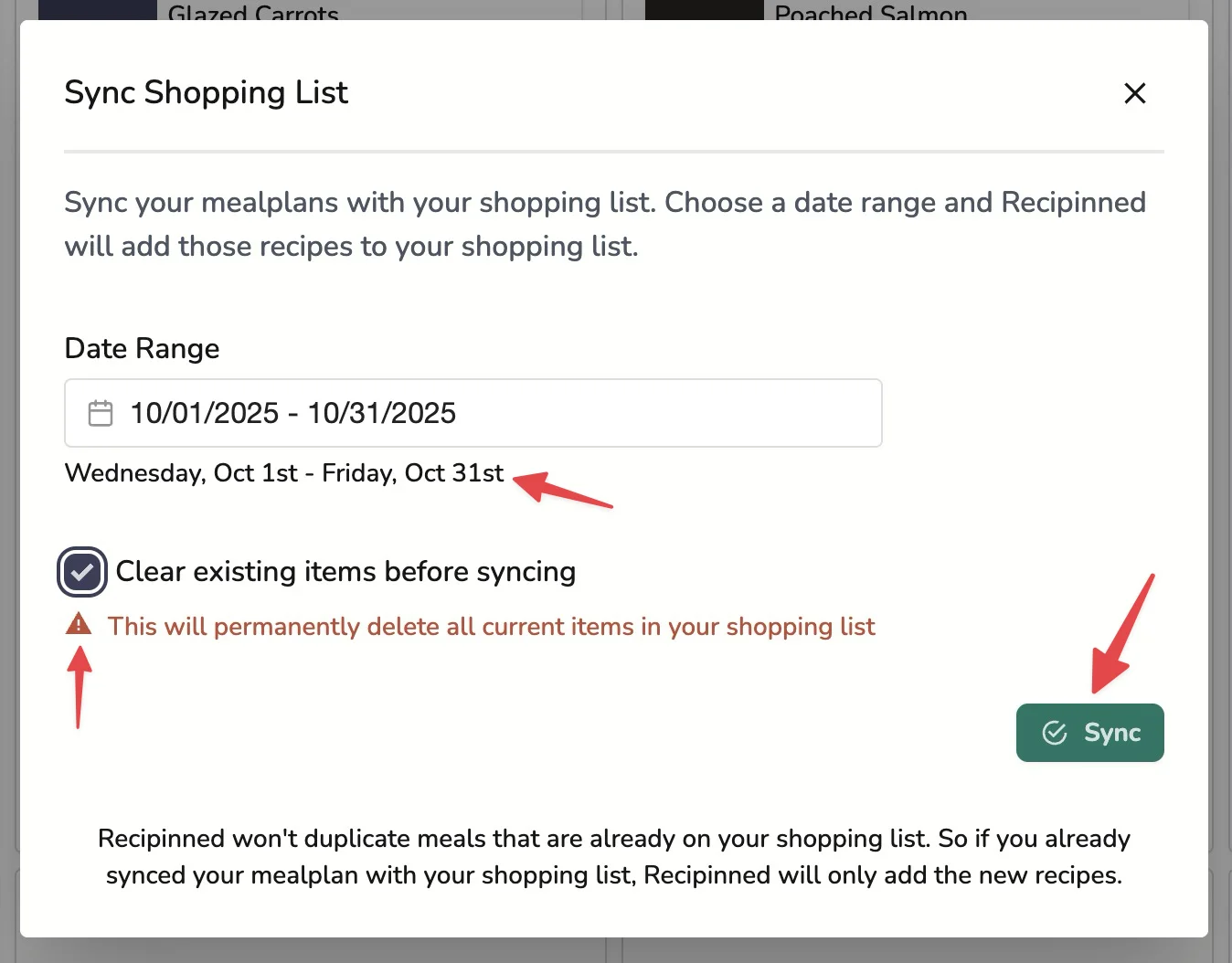
4. Generate the List
Click “Sync” to generate your shopping list. The system will:
- Calculate total quantities needed for all meals in the date range
- Consolidate duplicate ingredients across different recipes
- Scale quantities based on your serving size settings
- Organize items for easy shopping and procurement
What’s Included in Your Shopping List
Automatic Calculations
Ingredient Consolidation: If multiple recipes use the same ingredient, quantities are combined into a single line item
Accurate Scaling: Quantities automatically adjust based on:
- Number of servings per meal
- Number of meals in the date range
- Recipe scaling factors
Unit Conversions: Ingredients are converted to appropriate purchasing units (pounds, cases, gallons, etc.)
Smart Organization
Shopping lists are organized to make procurement efficient:
- Grouped by category for easier shopping
- Clear quantity specifications for each item
- Recipe references so you can trace ingredient usage
Benefits of Generated Shopping Lists
Accuracy
- No manual calculations - eliminates human error
- Consistent quantities based on actual meal plans
- Automatic updates when meal plans change
Efficiency
- One consolidated list instead of multiple recipe lists
- Reduced food waste through precise quantity planning
- Streamlined ordering process
Cost Control
- Accurate quantities prevent over-ordering
- Better budget planning with precise ingredient needs
- Reduced waste from excess purchases
Best Practices
Timing
- Generate lists early to allow for procurement lead times
- Sync regularly if meal plans change frequently
- Coordinate with delivery schedules for optimal timing
Review Process
- Double-check quantities for unusually large or small amounts
- Verify special dietary items are included correctly
- Cross-reference with storage capacity limits
Next Steps
After generating your shopping list:
Related Articles
Last revised: