Scaling Meal Servings
Pro FeaturePro Feature Required
This feature requires a Pro account (Dietitian, Facilities, or Residential Facilities tier).
Learn more about feature access or contact us at [email protected]
Recipinned makes it easy to scale your meal plans based on the number of people you’re serving. You can set default serving sizes and make day-specific adjustments as needed.
Video Tutorial
Two Ways to Scale Servings
There are two approaches to changing the number of people you serve:
- Adjust the default for all meals going forward
- Override for a specific day when you have different attendance
Adjusting Default Number of People to Feed
Use this method to set your standard number of people to serve.
Steps
-
Open Meal Plan Settings
- Go to your meal plan page
- Click the More Actions button (the three dots at the right of the toolbar)
- Select Meal Plan Settings
-
Update Default Servings
- Scroll down to the Meal Plan Servings section
- Set Default Servings to the number of people you usually serve
- Click Save under that section
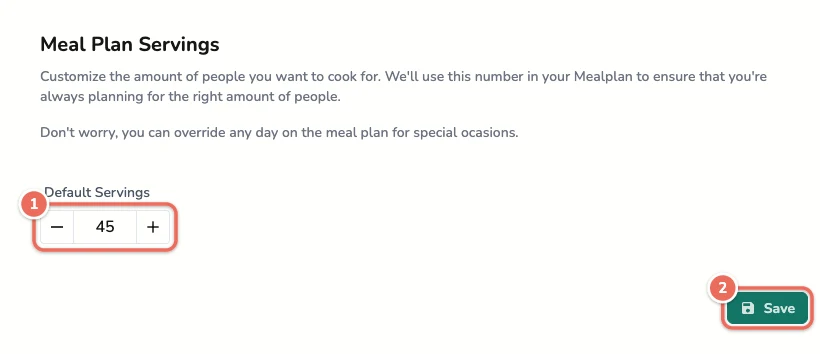
The default applies to every day on your calendar that doesn’t have an override.
Note: For facility accounts, only a site admin can change the default.
Adjusting Servings for a Specific Day
Use this method when you need to serve a different number of people on particular days (special events, lower attendance, etc.).
Steps
-
Find the Day
- Go to your meal plan calendar
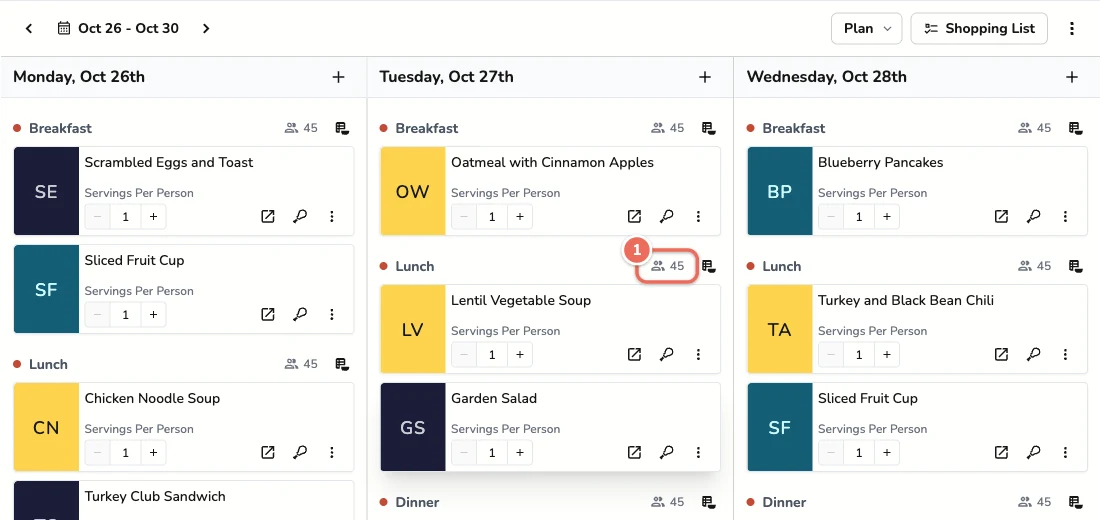
- Next to each meal heading, a people icon shows how many people that day serves (for example, 45)
-
Open the Override
- Click the people icon next to any meal on that day
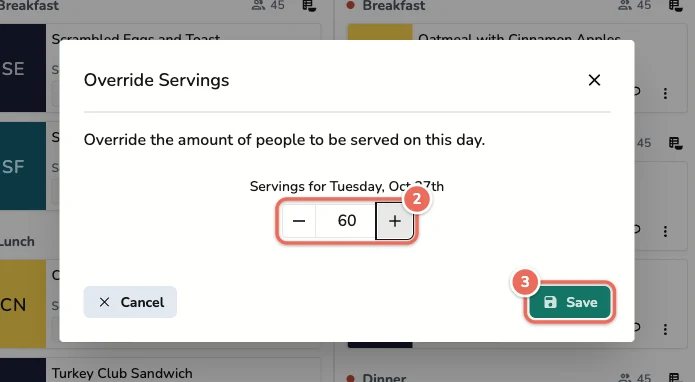
- Update the Number
- Enter the number of people for that day
- Click Save
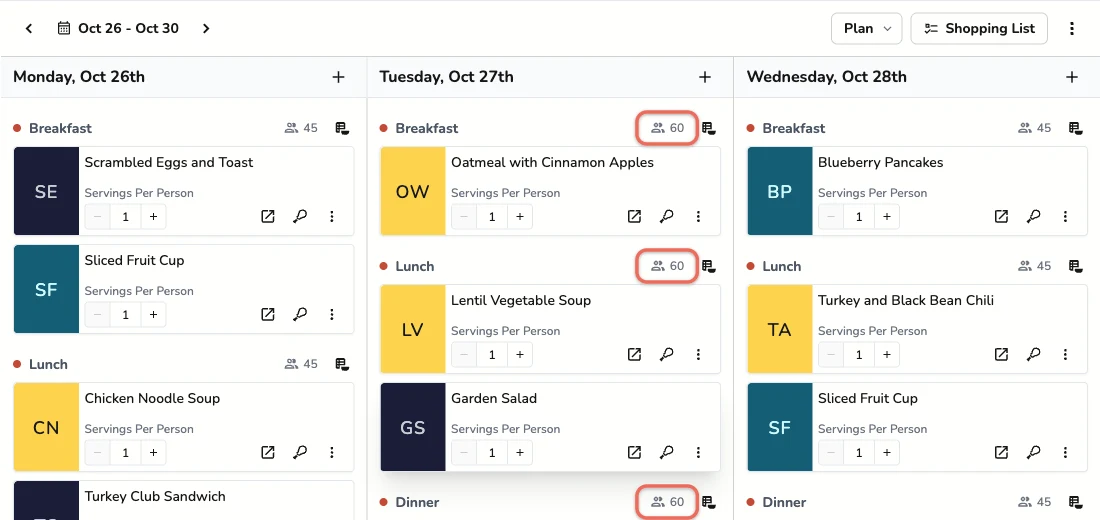
The new number applies to every meal on that day. Other days keep the default.
Servings Per Person
Each recipe on the calendar also has a Servings Per Person stepper. Use it when people get more than one serving of a recipe, such as two dinner rolls each. When you build a shopping list, Recipinned multiplies it by the number of people to serve that day.
When to Use Each Method
Default Settings - Use When
- Setting up your facility’s standard capacity
- Most days serve the same number of people
- You want consistency across your meal planning
Day-Specific Overrides - Use When
- Special events with more attendees
- Holidays with reduced attendance
- Temporary changes in capacity
- Testing different serving sizes
Benefits of Proper Scaling
Accurate Shopping Lists: Ingredient quantities automatically adjust based on serving sizes
Waste Reduction: Prepare the right amount of food for your actual attendance
Cost Control: Purchase appropriate quantities to match your needs
Nutrition Compliance: Maintain proper nutritional standards regardless of serving size
Related Articles
Last revised: