Printing Your Meal Plan
Recipinned offers multiple print formats for your meal plans to meet different operational needs, from kitchen prep to administrative documentation.
Two Ways to Print
- Print Calendar - prints the dates on screen exactly as the planner shows them. Quick and works on every account.
- Advanced Print - lets you pick a layout, the days to include and extra information like nutrition. Available on accounts with nutrition analysis.
How to Print Your Meal Plan
1. Select the Dates
Click the date range button in the planner toolbar (for example, “Oct 26 - Oct 30”), pick the first and last day you want to print, then click Select. Only these dates are printed.
2. Open the Print Options
Click the More Actions button (the three dots at the right of the toolbar), then choose Print Calendar or Advanced Print.
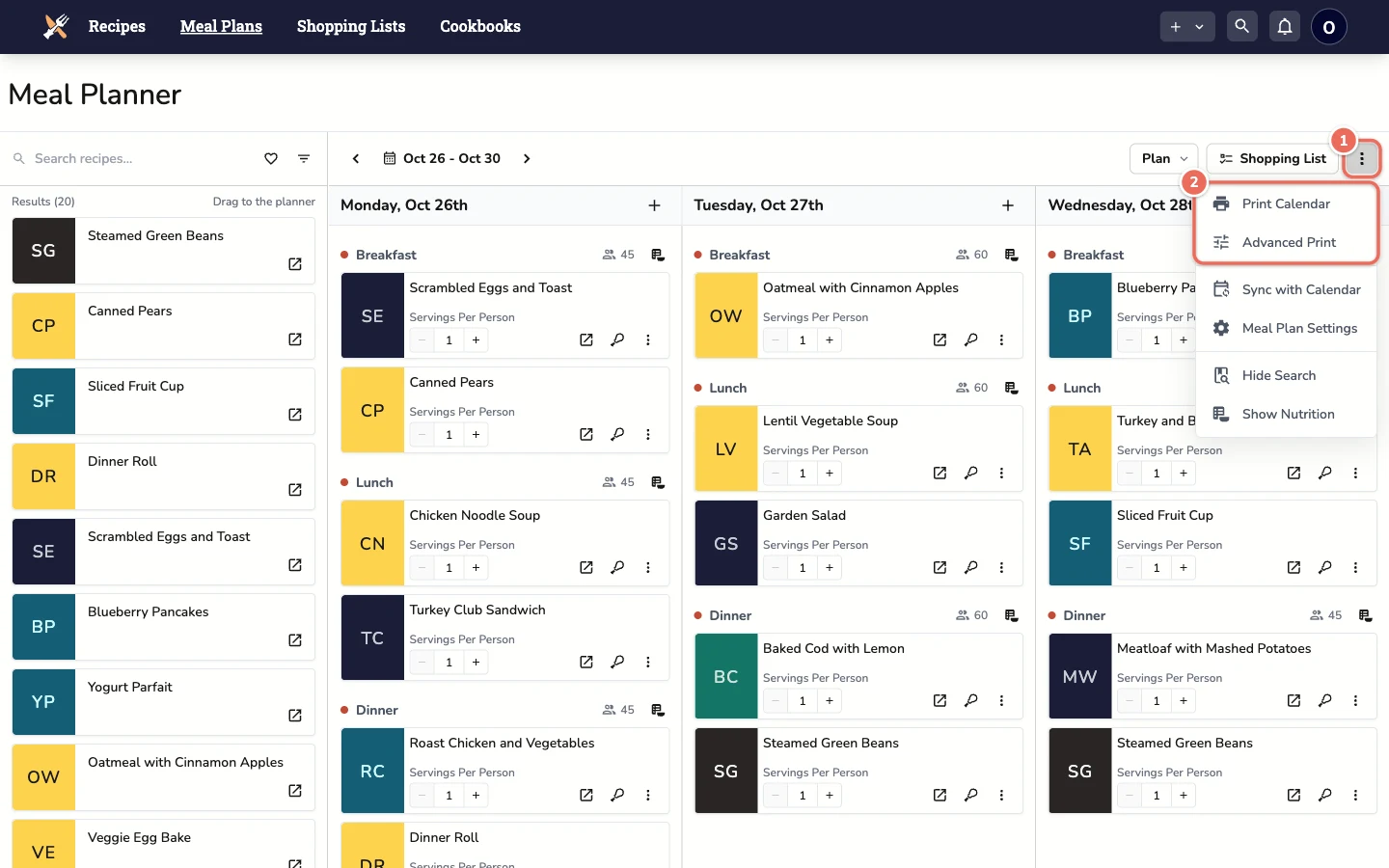
3. Choose Advanced Print Options
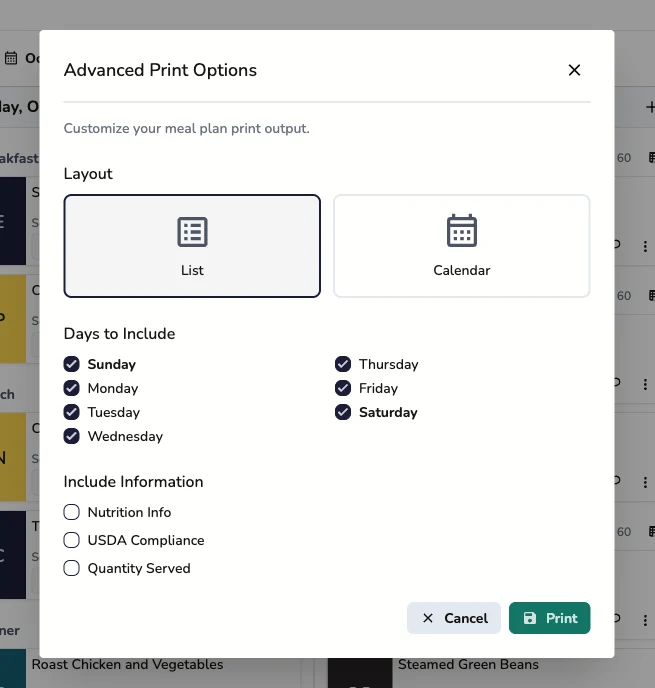
If you chose Advanced Print, set up the printout:
- Layout
- List - a compact list of meals by date. Best for kitchen staff, daily operations and prep work.
- Calendar - a calendar grid of the selected dates. Best for planning meetings and posting a weekly overview.
- Days to Include - uncheck days you don’t need, such as weekends
- Include Information
- Nutrition Info - nutrition totals for each meal, for dietary analysis and records
- USDA Compliance - how each meal compares with your nutrition standard, for compliance documentation and inspections
- Quantity Served - the number of people each day serves
Nutrition Info and USDA Compliance are only available with the List layout.
Click Print to open your browser’s print dialog.
Best Practices for Printing
Choosing the Right Options
For Daily Operations: Use the List layout for kitchen staff who need clear, actionable information
For Planning Meetings: Use the Calendar layout to discuss schedules and coordination
For Documentation: Add Nutrition Info and USDA Compliance for official records and compliance needs
Date Selection Tips
- Print weekly for most operational needs
- Print monthly for administrative overview
- Print specific date ranges for special events or reporting periods
Efficiency Tips
- Print in batches to reduce paper waste
- Post strategically in areas where staff need the information
- Update regularly to ensure staff have current information
Integration with Operations
Kitchen Workflow
- Print the List layout at the beginning of each week
- Post in prep areas and cooking stations
- Use for daily prep assignments and coordination
Administrative Workflow
- Print the Calendar layout for planning meetings
- Print with USDA Compliance for compliance filing
- Keep printed records for audit purposes
Staff Communication
- Clear posting locations where staff can easily access
- Regular updates to ensure information stays current
- Multiple formats for different team needs
Related Articles
Last revised: